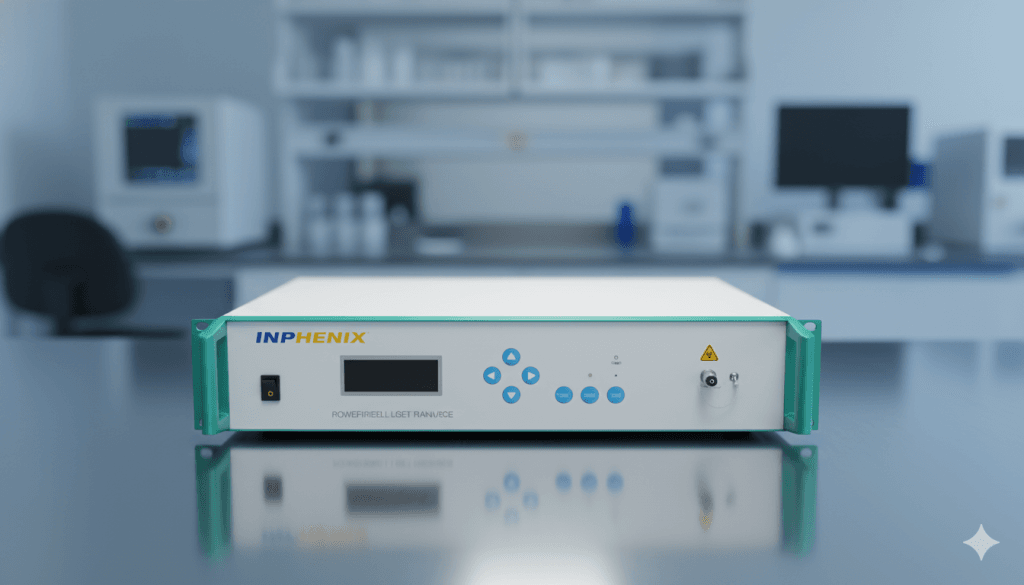
In the dynamic world of photonics, LED technology has revolutionized the field, and the Desktop Broadband Light Source has emerged as an indispensable tool, offering unparalleled versatility and performance across a myriad of scientific and industrial applications. Moving beyond the limitations of monochromatic lasers, including ir lasers, these powerful devices provide a broad spectrum of light, opening new avenues for research, development, and quality control. However, simply owning a state-of-the-art Desktop Broadband Light Source is only the first step. The true power lies in its seamless integration into an existing or newly designed optical system. This comprehensive guide will delve into the best practices for such integration, illuminate critical considerations, including the role of internet connectivity for remote monitoring, and provide compelling case studies to illustrate real-world applications and success stories.
Understanding Desktop-Based Illumination Solutions
Before embarking on the integration process, a thorough understanding of your specific Desktop Broadband Light Source is paramount. Key specifications such as spectral range, output power, spatial coherence, temporal coherence, and polarization characteristics will dictate its suitability for various applications and inform your integration strategy. For instance, a Desktop Broadband Light Source designed for optical coherence tomography (OCT) will have different requirements than one intended for spectroscopy or material characterization. Understanding these nuances from the outset will prevent costly mistakes and ensure optimal performance.
Best Practices for Seamless Integration
Integrating a Desktop Broadband Light Source effectively involves a multi-faceted approach, encompassing optical alignment, mechanical stability, electrical interfacing, and software control. Each aspect plays a crucial role in maximizing the potential of your system.
1. Optical Alignment and Coupling:
The primary challenge in integrating any light source, including pm fiber laser systems, is efficiently coupling its output, particularly when dealing with an ase light source, into your optical system, while ensuring your setup is compatible with high-speed broadband technology for enhanced data transmission and processing. For a Desktop Broadband Light Source, this often involves fiber coupling or free-space beam delivery.
- Fiber Coupling: This is frequently the preferred method due to its flexibility, ease of alignment, and ability to deliver light to remote locations.
- Matching Numerical Aperture (NA): Ensure the NA of the coupling fiber closely matches the output NA of your Desktop Broadband Light Source. A mismatch can lead to significant power loss and degraded beam quality.
- Core Diameter: Select a fiber with an appropriate core diameter. Single-mode fibers preserve spatial coherence but are harder to align, while multi-mode fibers offer easier coupling but can degrade beam quality for certain applications.
- Connector Type: Standardize on connector types (e.g., FC/APC, SMA) to ensure compatibility across your system components. Angled physical contact (APC) connectors are often preferred for their reduced back reflections.
- Precision Alignment Stages: Utilize high-precision three-axis translation stages and rotation stages for accurate fiber-to-source coupling. Iterative adjustments, often monitored with a power meter, are crucial.
- Free-Space Beam Delivery: For applications requiring direct illumination or custom beam shaping, free-space delivery is necessary.
- Beam Collimation and Focusing: Use appropriate lenses (achromatic doublets are often recommended for broadband sources to minimize chromatic aberrations) to collimate or focus the beam as required by your application.
- Optical Path Length: Minimize the optical path length to reduce environmental influences like dust, vibrations, and air currents.
- Mirror Selection: Employ broadband dielectric mirrors with high reflectivity across the wavelength range of your Desktop Broadband Light Source to minimize power loss.
- Spatial Filters and Apertures: Consider using spatial filters to improve beam quality and pinholes to define specific beam sizes or eliminate unwanted scattering.
2. Mechanical Stability and Vibration Isolation:
Optical systems are highly susceptible to mechanical instability and vibrations. For a Desktop Broadband Light Source to perform optimally, a robust and stable mechanical setup is non-negotiable.
- Optical Breadboards and Tables: Mount all components, including the Desktop Broadband Light Source it self, on rigid optical breadboards or vibration-isolated optical tables. These provide a stable platform and damp out external vibrations.
- Component Mounting: Use sturdy optical mounts that securely hold lenses, mirrors, and fiber couplers. Avoid loose components that can shift over time.
- Thermal Stability: Consider the thermal environment. Temperature fluctuations can cause optical components to expand or contract, leading to misalignment. If necessary, use active temperature control for critical components.
3. Electrical Interfacing and Control:
Modern Desktop Broadband Light Source units typically come with sophisticated electronic control systems. Proper electrical interfacing and software integration are vital for seamless operation.
- Power Supply: Ensure the power supply meets the manufacturer’s specifications. Use surge protectors and uninterruptible power supplies (UPS) to protect your investment.
- Communication Protocols: Familiarize yourself with the communication protocols (e.g., USB, Ethernet, RS-232) used by your Desktop Broadband Light Source.
- Software Development Kits (SDKs): Many manufacturers provide SDKs, allowing you to develop custom software for controlling the Desktop Broadband Light Source and integrating it into larger automated systems. This enables precise control over parameters like output power, spectral filtering, and modulation.
4. Safety Considerations:
Working with powerful light sources always demands strict adherence to safety protocols.
- Eye Protection: Always wear appropriate laser safety goggles that block the specific wavelengths emitted by your Desktop Broadband Light Source.
- Beam Blocks: Use beam blocks to terminate unwanted beams.
- Interlocks: Implement interlocks where appropriate, especially in automated systems, to prevent accidental exposure.
- Training: Ensure all personnel operating the system are adequately trained in laser safety.
INPHENIX – World-Class Lasers & Light Sources Manufacturers
When investing in a Desktop Broadband Light Source, the manufacturer’s reputation for quality and support is paramount. One such industry leader is INPHENIX, a company synonymous with world-class lasers and light sources. With a long-standing history of innovation, INPHENIX provides high-quality devices that are rigorously tested to meet demanding scientific and industrial specifications. Their expertise in manufacturing high-performance light sources, including cutting-edge Desktop Broadband Light Source units, ensures reliability and precision.
Beyond the initial purchase, INPHENIX is also renowned for its exceptional after-sales services. This includes comprehensive technical support, detailed documentation, and expert guidance during the integration process. This level of commitment ensures that customers can confidently deploy their INPHENIX Desktop Broadband Light Source units, knowing they have a reliable partner backing them up. Their dedication to quality and customer satisfaction makes them a highly trusted provider in the photonics market.
Case Studies: Real-World Applications of Integrated Desktop Broadband Light Sources
To illustrate the diverse capabilities and integration strategies for a Desktop Broadband Light Source, let’s explore a few compelling case studies:
Case Study 1: Optical Coherence Tomography (OCT) System for Biomedical Imaging
- Application: High-resolution, cross-sectional imaging of biological tissues.
- Integration Strategy: A high-power, short-coherence-length Desktop Broadband Light Source (often a Superluminescent Diode (SLD) array or a Supercontinuum Laser) is fiber-coupled into a Michelson interferometer. One arm directs light to the sample, and the other to a reference mirror. The interference pattern generated by the recombined light is detected by a spectrometer, which processes the spectral information to reconstruct detailed images.
- Key Integration Challenges & Solutions:
- Dispersion Management: Broadband light sources are prone to dispersion. Careful selection of optical fibers and bulk optics, along with dispersion compensation techniques (e.g., using prisms or grating pairs), is crucial to maintain axial resolution.
- Vibration Isolation: OCT systems are extremely sensitive to vibrations. The entire setup, including the Desktop Broadband Light Source and interferometer, is mounted on an active vibration-isolated optical table.
- Synchronization: Precise synchronization between the light source, scanner (for lateral imaging), and spectrometer is achieved through custom software developed using the Desktop Broadband Light Source‘s SDK.
Outcome: The integrated Desktop Broadband Light Source enables rapid, non-invasive imaging with micron-level resolution, revolutionizing diagnostics in ophthalmology, dermatology, and cardiology.
Case Study 2: Fiber Optic Sensor Interrogation System
- Application: Monitoring strain, temperature, and pressure in critical infrastructure using Fiber Bragg Grating (FBG) sensors.
- Integration Strategy: A compact, stable Desktop Broadband Light Source with a broad and flat spectrum is fiber-coupled into an array of FBG sensors. The reflected spectral peaks from the FBGs, which shift in wavelength due to external stimuli, are then analyzed by a high-resolution optical spectrum analyzer (OSA).
- Key Integration Challenges & Solutions:
- Power Distribution: For multiple sensors, the light from the Desktop Broadband Light Source needs to be efficiently split and distributed. This often involves passive fiber couplers or optical switches.
- System Robustness: Given that these systems often operate in harsh environments, the integration prioritizes robust, industrial-grade fiber optic connectors and protective enclosures for the Desktop Broadband Light Source and other components.
- Long-Term Stability: The Desktop Broadband Light Source chosen here must exhibit excellent long-term spectral stability to ensure accurate and drift-free sensor measurements over extended periods.
- Outcome:The integrated system provides real-time, distributed sensing capabilities, offering early warning of structural fatigue or environmental changes, crucial for safety and predictive maintenance.
Case Study 3: Hyperspectral Imaging System for Material Characterization
- Application: Non-destructive analysis of material composition, defects, and properties in manufacturing and quality control.
- Integration Strategy: A high-power, spectrally flat Desktop Broadband Light Source illuminates the sample. The reflected or transmitted light is then collected and directed to a hyperspectral camera, which captures a full spectrum for each pixel in the image.
- Key Integration Challenges & Solutions:
- Uniform Illumination: Achieving highly uniform illumination over the sample area is critical. This often involves using diffusers, integrating spheres, or custom illumination optics positioned between the Desktop Broadband Light Source and the sample.
- Beam Shaping: For specific material interactions, the beam from the Desktop Broadband Light Source may need to be shaped (e.g., line illumination for linear scanning systems) using cylindrical lenses or diffractive optical elements.
- Spectral Calibration: Regular spectral calibration of the entire system, including the Desktop Broadband Light Sourceand hyperspectral camera, using known spectral standards, is essential for accurate quantitative analysis.
- Outcome: The integrated system allows for rapid and detailed material characterization, enabling defect detection, quality assurance, and process optimization in various industries, from agriculture to pharmaceuticals.
Future Trends and Considerations
The field of Desktop Broadband Light Source technology is continually evolving. Future integration efforts will likely focus on:
- Miniaturization: Smaller, more compact Desktop Broadband Light Source units will facilitate integration into portable and embedded systems.
- Increased Spectral Range and Power: Wider spectral coverage and higher output power will push the boundaries of current applications and enable new ones.
- Enhanced Connectivity and AI Integration: More sophisticated communication protocols and integration with AI-driven data analysis platforms will lead to smarter, more autonomous optical systems.
- Tunability: Greater tunability and control over the spectral characteristics of the Desktop Broadband Light Source will offer even more flexibility for custom applications.
Conclusion
Integrating a Desktop Broadband Light Source into an optical system is a critical step in harnessing its full potential. By diligently following best practices in optical alignment, mechanical stability, electrical interfacing, and safety, researchers and engineers can build robust, high-performance systems. The diverse case studies demonstrate the transformative impact of well-integrated Desktop Broadband Light Source technology across various fields. As manufacturers like INPHENIX continue to innovate and provide world-class devices and support, the capabilities and applications of the Desktop Broadband Light Source will only continue to expand, driving new discoveries and technological advancements into the future.