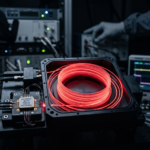
In the high-speed world of optical communications, sensing, and medical imaging, the Semiconductor Optical Amplifier (SOA) has become a cornerstone technology, serving as a critical interface between various components of the system.
As we push for higher data rates and more precise diagnostic capabilities, maintaining signal integrity is paramount. However, engineers frequently encounter the frustrating challenge of signal distortion, which can severely compromise the performance of complex optical systems.
For manufacturers like Inphenix, who specialize in world-class lasers and light sources, understanding the nuances of the SOA and the related services is critical. When an SOA begins to exhibit non-linearity, it can introduce noise, phase shift, and gain saturation that degrade the output signal.
Identifying and mitigating these issues early in the design cycle, using effective middleware solutions, is essential for maintaining a high-fidelity optical link and ensuring scalability in performance and capacity.
Understanding the Role of the SOA in Modern Optics
Before diving into troubleshooting, it is vital to understand why the SOA is so susceptible to signal distortion.
Unlike traditional fiber amplifiers, an SOA operates by passing light through an active semiconductor region. Because the carrier lifetime in these semiconductors is relatively short—often in the range of hundreds of picoseconds—the SOA gain can respond to the instantaneous power of the input signal.
When a high-power optical signal enters an SOA, it depletes the carrier density within the active layer faster than the bias current can replenish it.
This phenomenon leads to gain saturation, which is the primary driver of non-linear signal distortion.
If your application requires high precision, such as in Inphenix’s high-performance SOA products, managing this non-linearity is a constant balancing act between gain, power output, and bandwidth.
5 Tips for Identifying Non-Linearity Issues
Identifying the root cause of signal distortion requires a systematic approach. Follow these five tips to pinpoint when your SOA is entering a non-linear state.
1. Monitor the Gain Compression Curve
The most straightforward indicator of non-linearity is gain compression.
As the input power to your SOA increases, the output power will eventually stop scaling linearly. To troubleshoot, you should plot the input power versus the output power.
If the slope of this curve begins to flatten, your SOA is entering saturation. By comparing your measured data against the datasheet specifications for your specific Inphenix SOA module, you can determine if the distortion is inherent to the device’s physical limits or if your input power levels are exceeding the design parameters.
2. Analyze the Eye Diagram for Closure
In high-speed data transmission, the eye diagram, along with interface middleware solutions, is the gold standard for visualizing signal distortion and assessing the scalability of the system.
When an SOA introduces non-linearity, the “eyes” begin to close due to a combination of cross-gain modulation and pattern-dependent effects.
Look specifically for:
- Asymmetry: If the top and bottom of the eye are not symmetrical, the SOA is likely struggling with carrier recovery times.
- Jitter: Increased timing jitter is often a precursor to non-linear distortion.
- Amplitude Noise: Excessive noise on the “one” levels suggests that the SOA is unable to maintain consistent gain across the data bits.
3. Evaluate Four-Wave Mixing (FWM) Products
If you are working with multi-wavelength systems, non-linearity in an SOA will manifest as Four-Wave Mixing.
FWM occurs when two or more signals interact within the non-linear medium of the SOA, creating new optical sidebands or “ghost” frequencies.
Use an Optical Spectrum Analyzer (OSA) to monitor for unwanted sidebands around your carrier signals.
If these sidebands appear even at moderate input power levels, your SOA is operating well within its non-linear regime, causing significant signal distortion for all channels involved.
4. Check for Cross-Gain Modulation (XGM)
In systems using Wavelength Division Multiplexing (WDM), the gain of one channel can be modulated by the data pattern of another channel.
This is known as Cross-Gain Modulation. To identify this, turn off all but one channel and observe the signal purity. Then, activate the neighboring channels.
If the signal distortion increases significantly when other channels are active, you are experiencing XGM.
This is a common issue when pushing the total power budget of an SOA too high. You may need to optimize the bias current or reduce the input power of the interfering channels to restore integrity.
5. Assess Transient Response and Recovery Times
Finally, monitor how the SOA reacts to sudden changes in input power. If the SOA fails to recover to its steady-state gain quickly enough after a high-power pulse, this “slow” response will distort the trailing edges of your pulses.
This is often described as pattern-dependent distortion. By testing with varying bit rates, you can determine if the SOA can keep up with the modulation speed of your data.
If performance drops as frequency increases, you have identified a limiting factor in your current configuration.
Optimizing Your Optical Architecture
Once you have identified the source of signal distortion, the path to resolution usually involves either hardware adjustment, system-level compensation, or efficient middleware solutions and services.
When working with top-tier components like those offered by Inphenix, you are starting with high-quality, reliable hardware.
Often, the issue isn’t the device itself, but the interface and the integration. If you find your current SOA is hitting a performance ceiling, it may be time to consult with experts to determine if a different gain medium or a specialized Inphenix optical light source is better suited to your specific link budget.
Effective thermal management also plays a role. Since carrier lifetime is temperature-dependent, ensuring that your SOA is correctly cooled can significantly improve its stability and reduce the non-linear effects that contribute to signal distortion.
Conclusion: Balancing Performance and Integrity
The SOA remains an indispensable tool for modern optical engineering, offering scalability, high gain, and compact integration. However, the inherent physics of semiconductor amplification means that non-linearity is a constant risk.
By vigilantly monitoring gain compression, eye diagrams, FWM, XGM, and transient responses, you can stay ahead of signal distortion and maintain the high-speed, high-precision performance your applications demand.
Remember, troubleshooting is not just about fixing problems—it is about understanding the boundaries of your technology.
When you master these five tips, you ensure that your optical systems are not only robust but capable of pushing the limits of current technology.
Are you ready to optimize your optical system with industry-leading components? Explore Inphenix’s full range of world-class SOAs and laser light sources here and contact our engineering team today to discuss how we can help you solve your most complex signal integrity challenges.